
Download the Ssmart Player app for All Your Devices
Watch your channels, movies and series on your phone, TV and computer. The links below are permanent: you always download the latest release.
Android: phone, tablet and TV
On a phone, open the link in the browser and install the file. On an Android TV, install the Downloader app and type the link ssouq.com/app/android or the code 5124726.
Computer: Windows and Mac
SHA-256 file fingerprint for verification
db95405e8ffea10e2e4014c7451098904fa2b0f78e90075bfba241dea2e90055SHA-256 file fingerprint for verification
1bf2d6b10d88d2b6a81b537664bebb476b63d87d6a96c80b201d2186f73d4c9bSHA-256 file fingerprint for verification
0e9443334ec67929bb3662137ab6f41cb9e4920f1297915807a8fd60fbdc49cfNot sure which chip your Mac has? Open the Apple menu → “About This Mac”: if you see “Chip” it is Apple Silicon, and if you see “Processor” it is Intel.
Coming soon: iPhone and iPad, Google Play and Samsung, LG and Vidaa TVs. App details and features are on the app page.
Installing on Windows
- 1Click “Download” on the Windows card to get the file
Smart-IPTV-Windows-….zip. - 2Right-click it and choose Extract All into a folder you own, such as the Desktop or Documents. Do not put it in Program Files, or updates will not work.
- 3Open the extracted folder and run
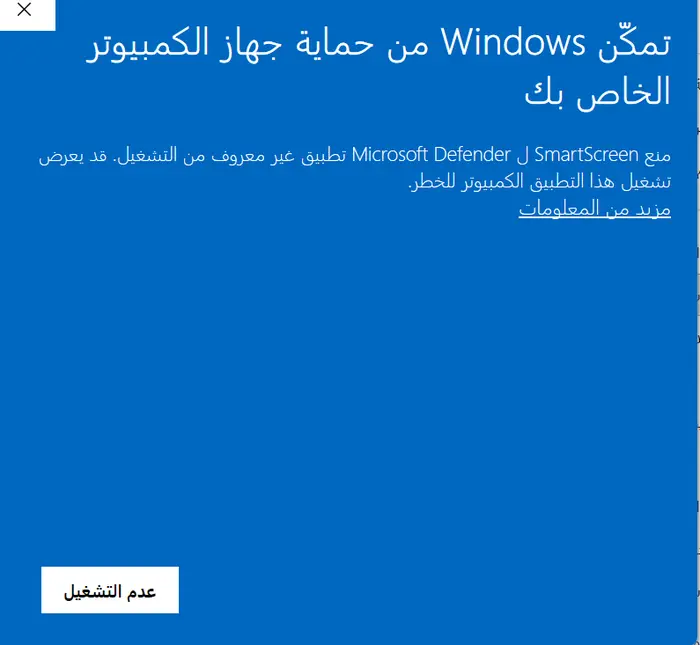
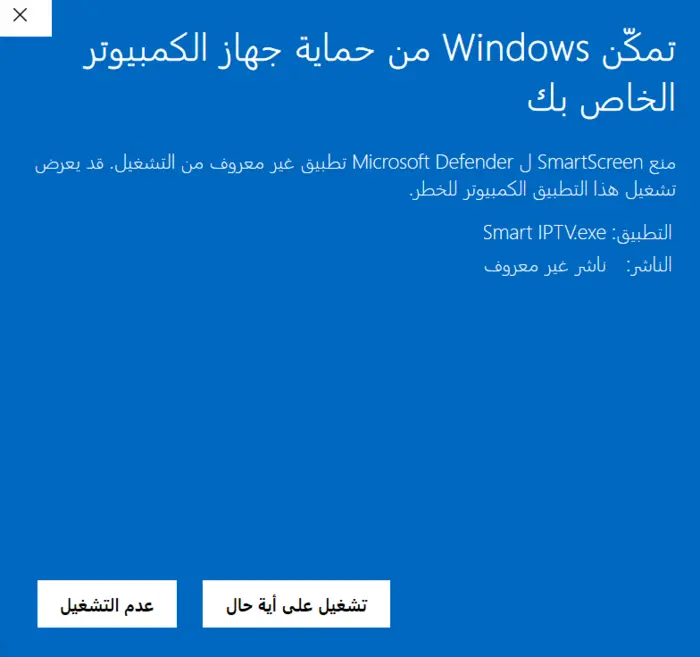
Ssmart Player.exe. No installation needed. - 4If you see “Windows protected your PC”, click More info and then Run anyway. It appears because the app is new and not yet commercially signed, and the file is scanned with Windows Defender when it is built.
- 5Sign in with your phone and activation code, or add your subscription details and M3U link under “Xtream Codes / M3U”.
- 6Optional: right-click
Ssmart Player.exe→ Send to → Desktop (create shortcut) for a desktop shortcut.
Installing on Mac (MacBook, iMac and Mac mini)
- 1First find out which Mac you have (see the note under the cards), then download the right file: Apple Silicon for M1 chips and later, or Intel for older machines.
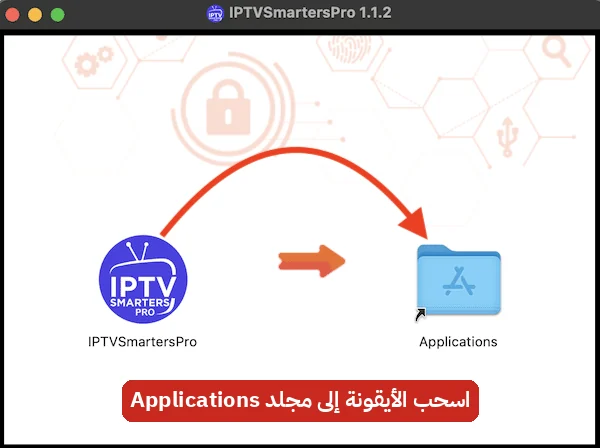
- 2Open the compressed file (it unzips automatically), then drag Ssmart Player into the Applications folder.
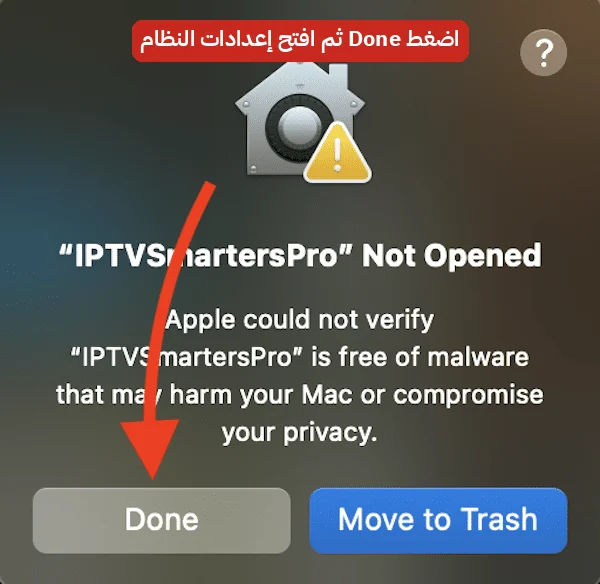
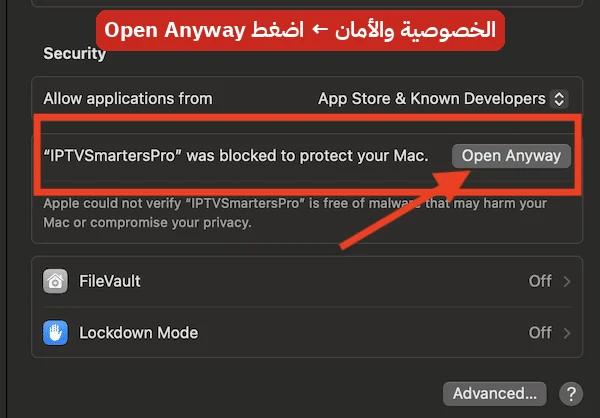
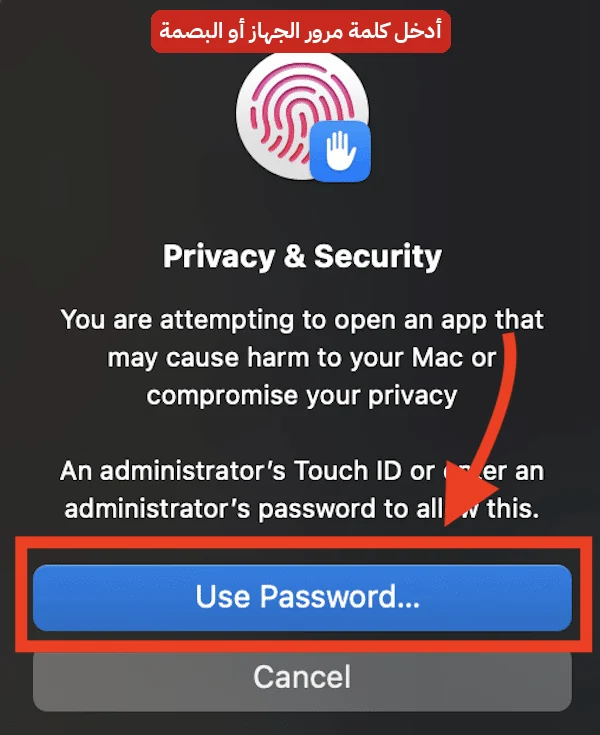
- 3Only the first time, the Mac blocks the app because it is not yet notarized by Apple: click Done, then open System Settings → Privacy & Security, scroll to Security, click Open Anyway and enter your Mac password.
- 4If the Mac says the app is “damaged” or cannot be opened, open Terminal and paste:
xattr -cr "/Applications/Ssmart Player.app"then try again. - 5Sign in as you would on Windows.
Update without downloading again
On Windows a “New update available” bar appears at the top of the app when a newer version is out (or go to Settings → About → Check for updates). Click Update: the app downloads the new version, replaces its files and restarts itself, and your accounts and favorites stay as they are. On Mac the button opens this page to download the new version.
Versions older than 1.6 have no update button: download this version once and from then on the button is enough.
Stuck on a step? Chat with us on WhatsApp